# Application installation

## Installer <a href="#installer" id="installer"></a>

<figure><img src="https://762027914-files.gitbook.io/~/files/v0/b/gitbook-x-prod.appspot.com/o/spaces%2FnBgLcsCCXVk9VshnPpp6%2Fuploads%2F6iGcQFdv3v8mySY5SlaS%2FScreenshot%20from%202026-03-11%2012-08-16.png?alt=media&#x26;token=ab8d4606-9e8c-4fb6-b26d-837b013353f9" alt="FTPt installer screen"><figcaption><p>FTPt installer</p></figcaption></figure>

Extract the FTPt Setup tar file inside you will find the FTPt tar and installer.sh with a installer license file run the installer.sh once executed it will show the message as shown above and guide you through the installation process of FTPt.

## License agreement <a href="#license-agreement" id="license-agreement"></a>

<figure><img src="https://762027914-files.gitbook.io/~/files/v0/b/gitbook-x-prod.appspot.com/o/spaces%2FnBgLcsCCXVk9VshnPpp6%2Fuploads%2FZKyrToMstZESunOcoj2P%2FScreenshot%20from%202026-03-11%2012-08-23.png?alt=media&#x26;token=3b5f4a63-f2b0-4de8-8591-b5acdf567e78" alt="Accept license terms to install the app"><figcaption><p>Accept license terms to install the app</p></figcaption></figure>

This is my license GNU-GPL-v3.0 read and accept it by typing yes.

{% content-ref url="../licenses/ftpt-license" %}
[ftpt-license](https://tmotagam.gitbook.io/ftptdocs/linux/licenses/ftpt-license)
{% endcontent-ref %}

## Location selection <a href="#location-selection" id="location-selection"></a>

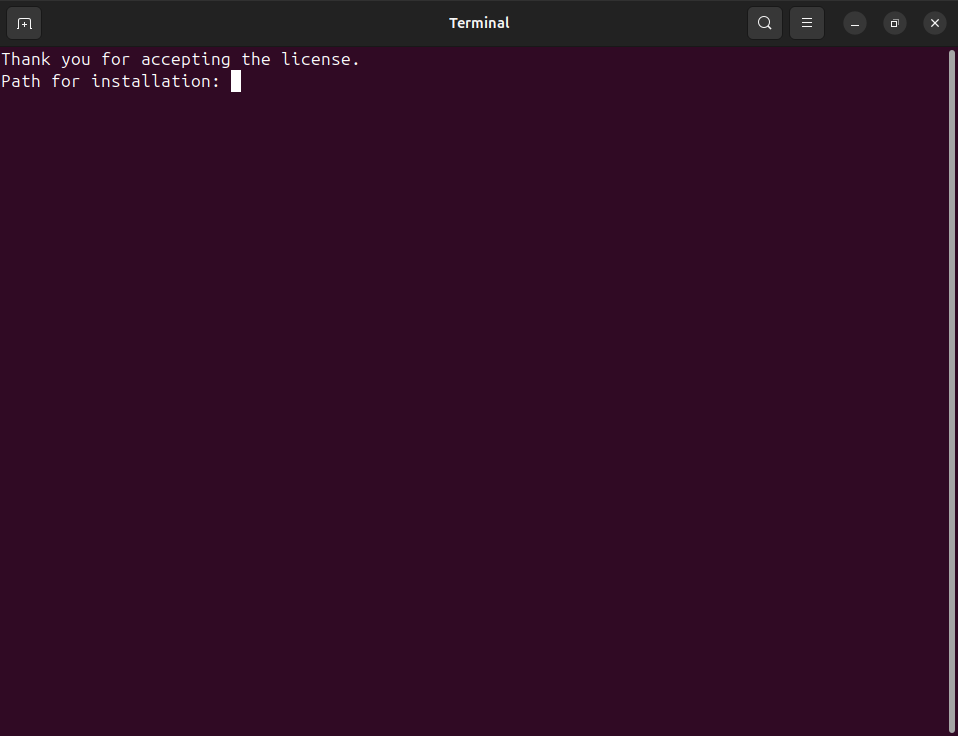
<figure><img src="https://762027914-files.gitbook.io/~/files/v0/b/gitbook-x-prod.appspot.com/o/spaces%2FnBgLcsCCXVk9VshnPpp6%2Fuploads%2FAbPL98oJe6kpYGGVDsep%2FScreenshot%20from%202026-03-11%2012-08-28.png?alt=media&#x26;token=381311f7-b18b-43f1-aec4-8d8bb960a222" alt="Folder selection"><figcaption><p>Folder selection</p></figcaption></figure>

You should type the destination path where you have enough space and privileges one given the installer will confirm the path by adding a folder on the given path for example if the path is "/home/Linux/apps/" then the path will become "/home/Linux/apps/FTPt/" this path will shown for confirmation once confirmed the app will install.

## The app is installed <a href="#the-app-is-installed" id="the-app-is-installed"></a>

<figure><img src="https://762027914-files.gitbook.io/~/files/v0/b/gitbook-x-prod.appspot.com/o/spaces%2FnBgLcsCCXVk9VshnPpp6%2Fuploads%2FPeIHAMZBXzdcBrF5C3eI%2FScreenshot%20from%202026-03-11%2012-09-09.png?alt=media&#x26;token=3c06c85a-7659-460b-ab59-efd36e934592" alt="The app is installed"><figcaption><p>The app is installed</p></figcaption></figure>

That's it !. You have installed the app now you can run the app from your activities center in ubuntu or desktop in any other distros from the FTPt icon and begin the real fun.

{% hint style="info" %}

## A word of advice

When you will open the app it will ask of the **sudo** password it is because the **FTP server** cannot run on the Linux without **sudo** and so it will ask for password.
{% endhint %}