# Using app for first time

{% hint style="info" %}

## A word of advice

When you will open the app it will ask of the **sudo** password it is because the **FTP server** cannot run on the Linux without **sudo** and so it will ask for password.
{% endhint %}

## App setup

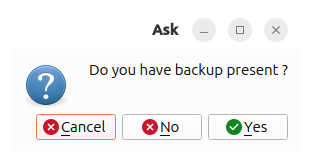
<figure><img src="https://762027914-files.gitbook.io/~/files/v0/b/gitbook-x-prod.appspot.com/o/spaces%2FnBgLcsCCXVk9VshnPpp6%2Fuploads%2F11cmkKDnhlx3uhj6OCVg%2FScreenshot%20from%202026-03-08%2020-29-37.png?alt=media&#x26;token=0c87e902-3ced-408a-8dd8-a50cda376154" alt="App setup"><figcaption><p>App setup</p></figcaption></figure>

After you have installed the app and started it for the first time you will be asked a question as shown above press no as you have started the app for the first time. Remember if you are just updating your app the backup will skip all these following steps.

## Registration

<figure><img src="https://762027914-files.gitbook.io/~/files/v0/b/gitbook-x-prod.appspot.com/o/spaces%2FnBgLcsCCXVk9VshnPpp6%2Fuploads%2FCoz2g7kexFtyQAba2bg5%2FScreenshot%20from%202026-03-08%2020-30-17.png?alt=media&#x26;token=4f4886de-0366-4a0b-90bb-c22b995c0f1a" alt="ftpt registration page where you enter username password and confirm your password"><figcaption><p>FTPt registration page</p></figcaption></figure>

Enter your choice of username and password then repeat the password once done press signup. This will create an account so that you will be able to access all the FTPt features.

## Registration done

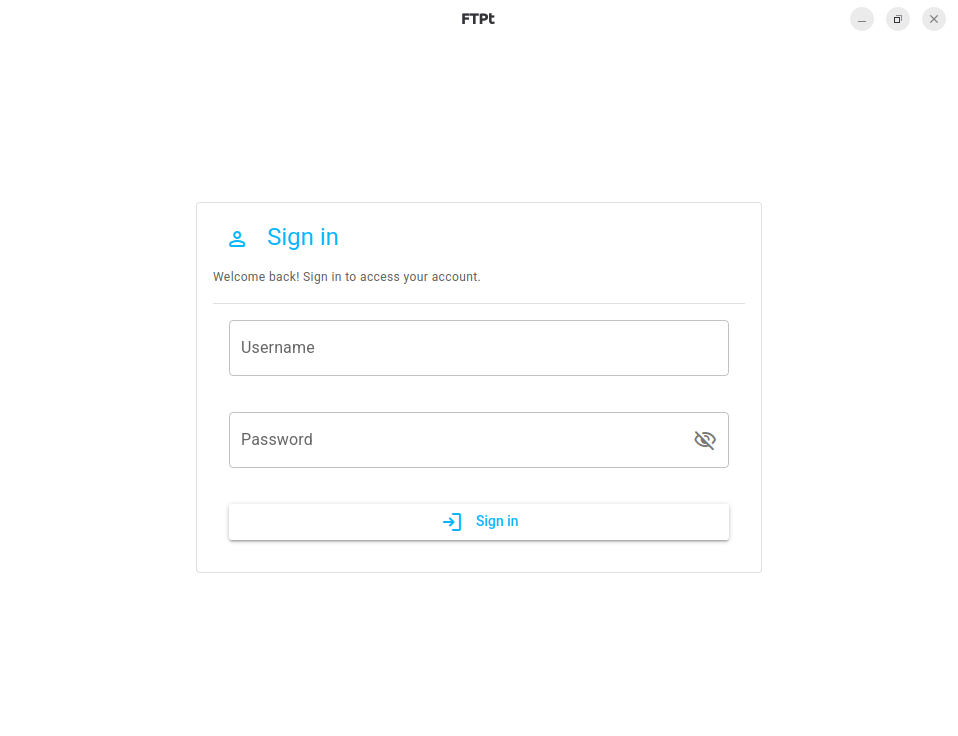
<figure><img src="https://762027914-files.gitbook.io/~/files/v0/b/gitbook-x-prod.appspot.com/o/spaces%2FnBgLcsCCXVk9VshnPpp6%2Fuploads%2F4C07SYBfvBkC1sy1KejB%2FScreenshot%20from%202026-03-08%2020-32-05.png?alt=media&#x26;token=c412238d-a535-405f-98f4-0d982a195068" alt="Login page once you have done registration"><figcaption><p>After Registration</p></figcaption></figure>

You have done it !. The registration is done, now sign in and start using the FTPt app.